Alnair Editorial
Your book, finished like it came from a publishing house, and published the right way.
I lay out your book's interior for print and e-book, to real publishing-house standards. Then I walk you, step by step, through technical publishing on Amazon KDP, Hotmart, and Google Play Books. You do not need to understand files, margins, or metadata.
Talk about my book
Interior layout
Every page designed like a real book page.
This is not pouring text into a template. It means setting the hierarchy: parts, chapters, subheads. It means handling white space, callout boxes, and reflection sections. It means following the book's visual identity from the first page to the last. Below are real pages from a sample I produced to show the finish.
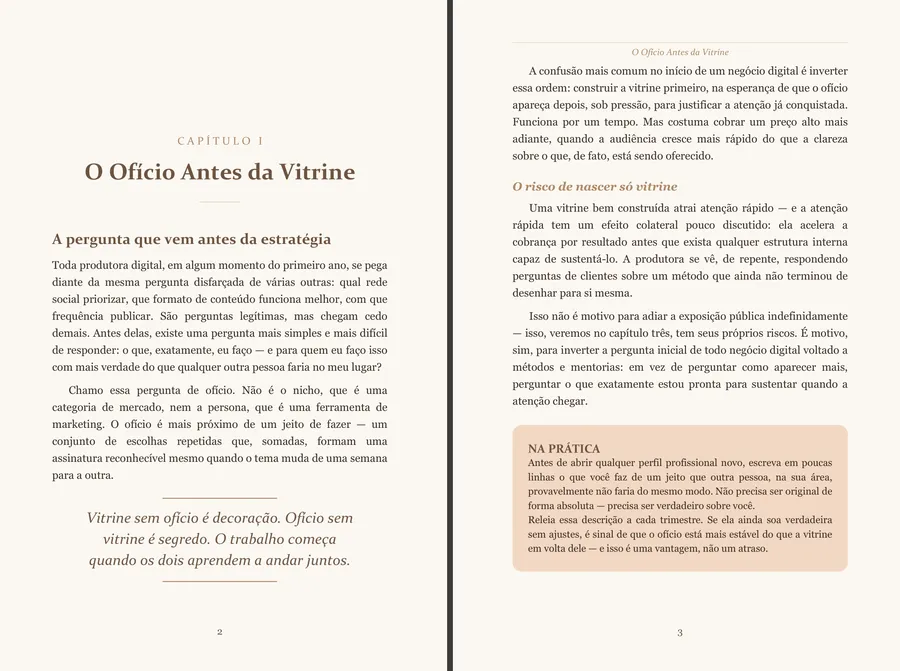
Chapter opener + callout boxHierarchy, a pull quote with rule lines, and a highlight box in the book's palette.
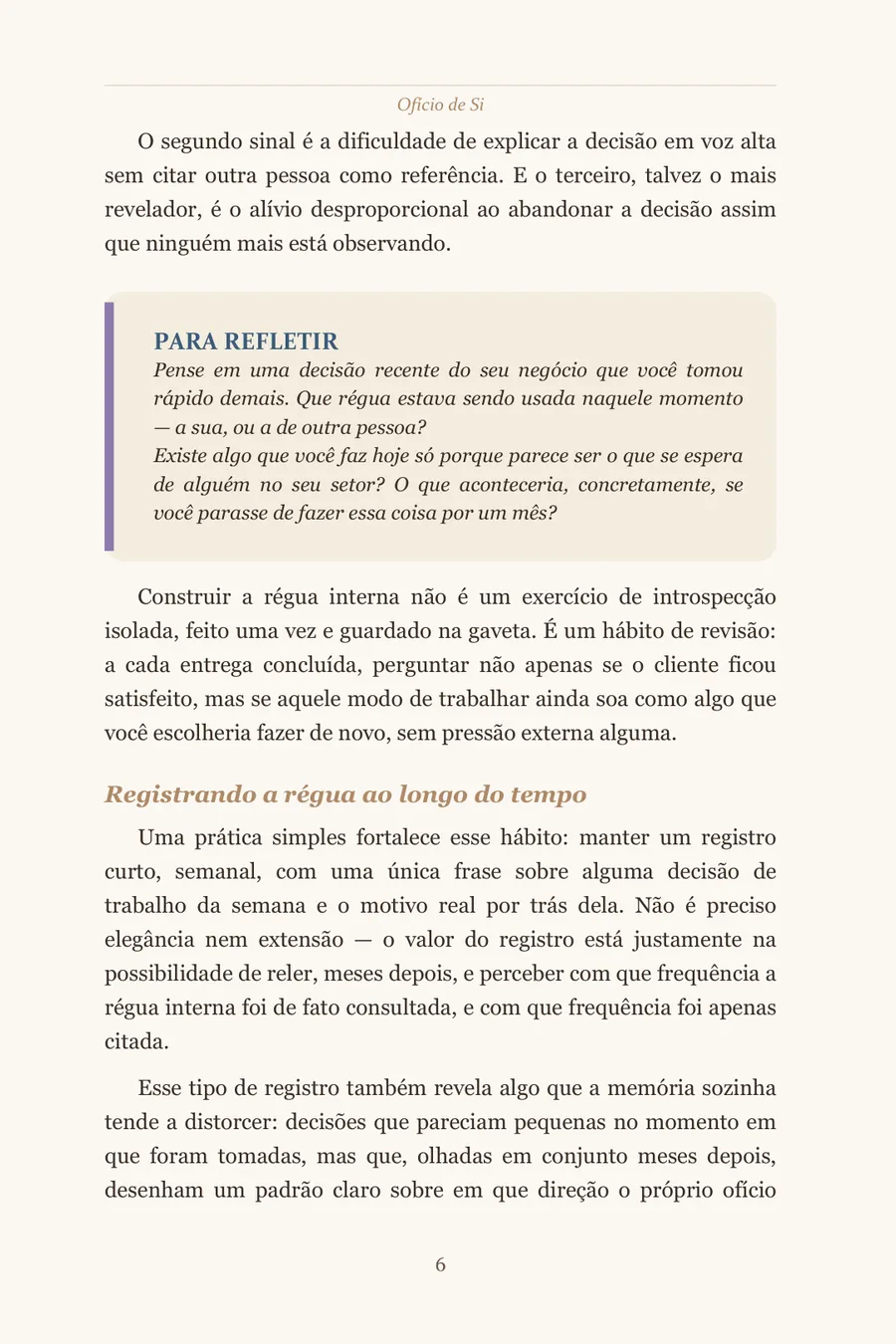
Reflection sectionBox with a side rule and its own heading.

CIP data blockIn CIP format, inside the frame.
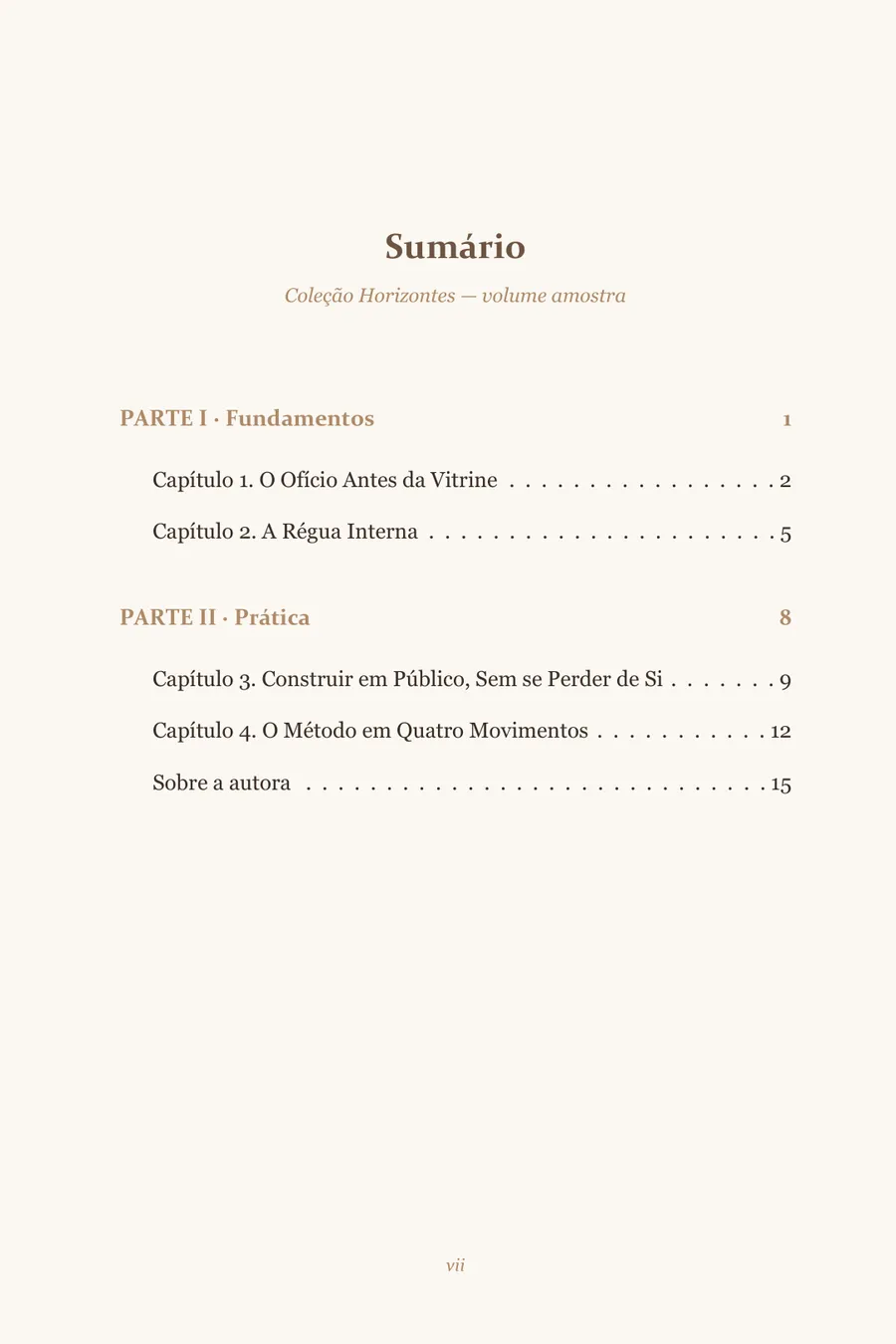
Table of contentsParts highlighted, dot leaders, and clickable in the e-book.
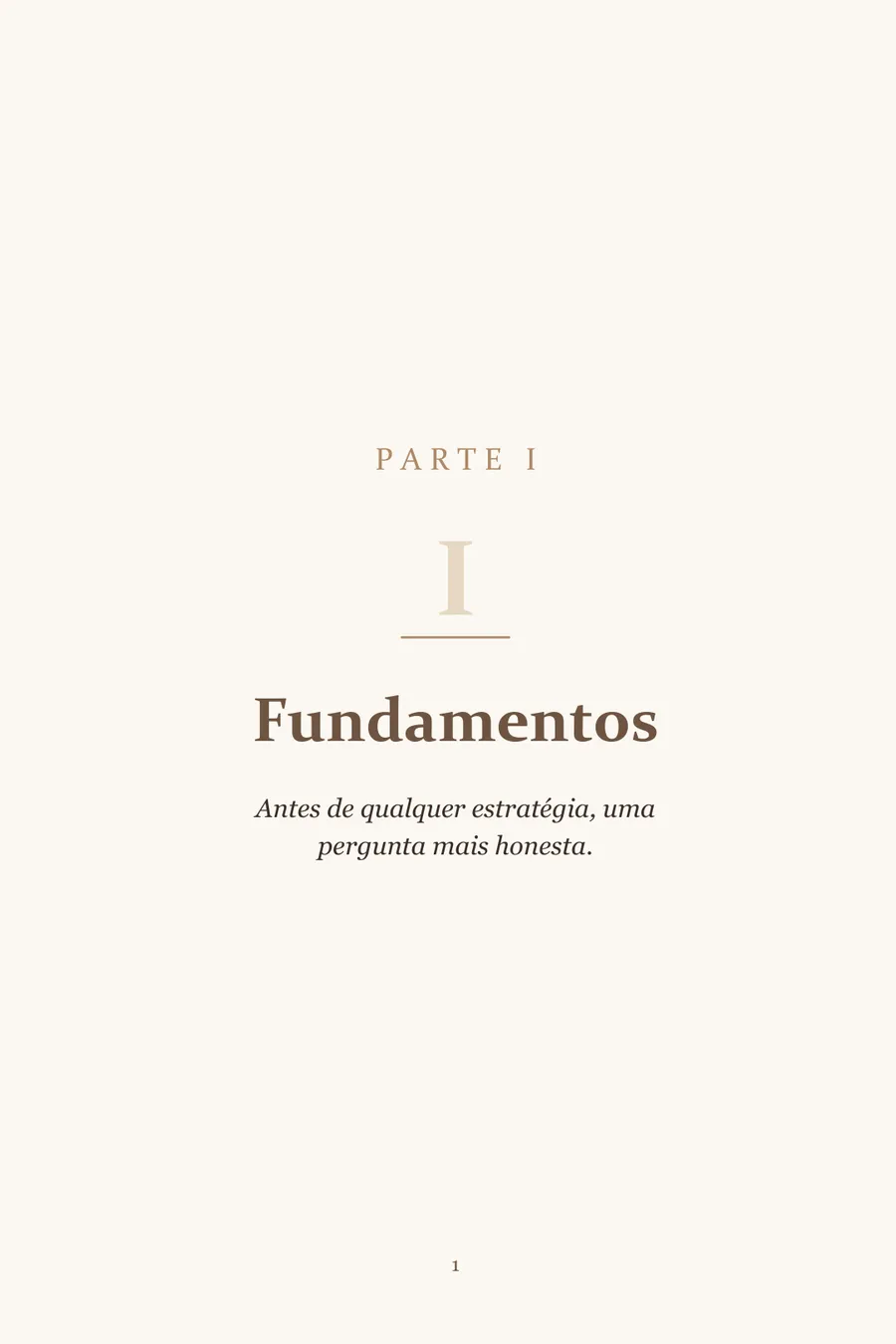
Part openerFull page, numeral, and epigraph.

Title pageTitle, subtitle, and author credit.
The sample "Ofício de Si" is a fictional work, with original content written by Alnair Editorial only to demonstrate the layout. It does not represent any real book or client.
- Complete editorial hierarchy: parts, chapters, subheads, and sub-subheads
- Callout boxes, highlight blocks, and reflection sections
- Front and back matter, CIP data block, and table of contents
- Print version (paperback) and e-book version (EPUB)
- Files prepared to each platform's technical spec (2560x1600px cover, e-book validated with EpubCheck)
- Free bonus A+ Content: an image-and-text module ready for your book page
- Review PDF for you to approve before the final file
Publishing consulting
From finished file to book for sale.
Having the book laid out is half the job. The other half is publishing without tripping over each store's technical requirements, and that is where most people get stuck. I guide you through this process, from the final file to the book going live.
Margins, bleed, trim size, a clickable table of contents, hyperlinks, a cover at the official size (2560x1600px), and EPUB validation with EpubCheck, targeting zero errors before submission. It is the same check the platforms run, done first through an objective checklist, so the file does not come back rejected.
Title, subtitle, sales description, categories, and keywords filled in with judgment, not guesswork, so the book shows up for the readers looking for it.
We set up the listing together, in a guided session: you in your own login, me walking you through every field. Price, formats, your author page on Amazon Author Central.
I stay until the book is published and available, resolving each store's technical flags along the way. At the end, you get a checklist and can repeat the process on your own.
Publishing means handling your tax ID, bank account, and platform passwords. None of that goes through me: you keep control of your accounts and your data the whole time. I guide, verify, and document at your side. The model is you learning by doing, not handing me the keys.
Is your book ready, or almost? Let's talk about it.
Tell me in two lines what the book is: how many pages, print, e-book, or both, and where you want to publish. I will reply with what is possible, what it costs, and how long it takes. No twelve-page proposal.
I work remotely, from anywhere.